 North
SmartScan PDF › News & guides
News & guides
SmartScan PDF: Updates, step-by-step guides and tips.
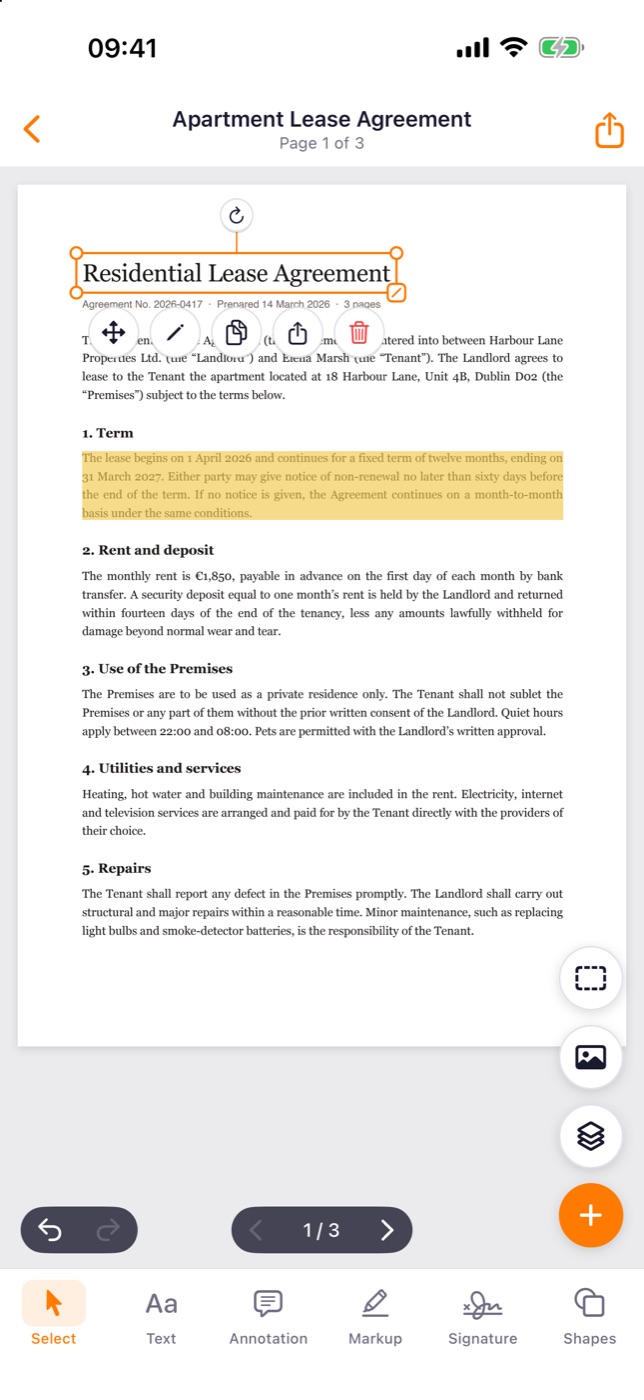 How to Copy Text from a Photo on iPhone (OCR)OCR text scanner on iPhone: recognise text on a photo or scan, copy a line with a long press, or turn the picture into an editable PDF page.
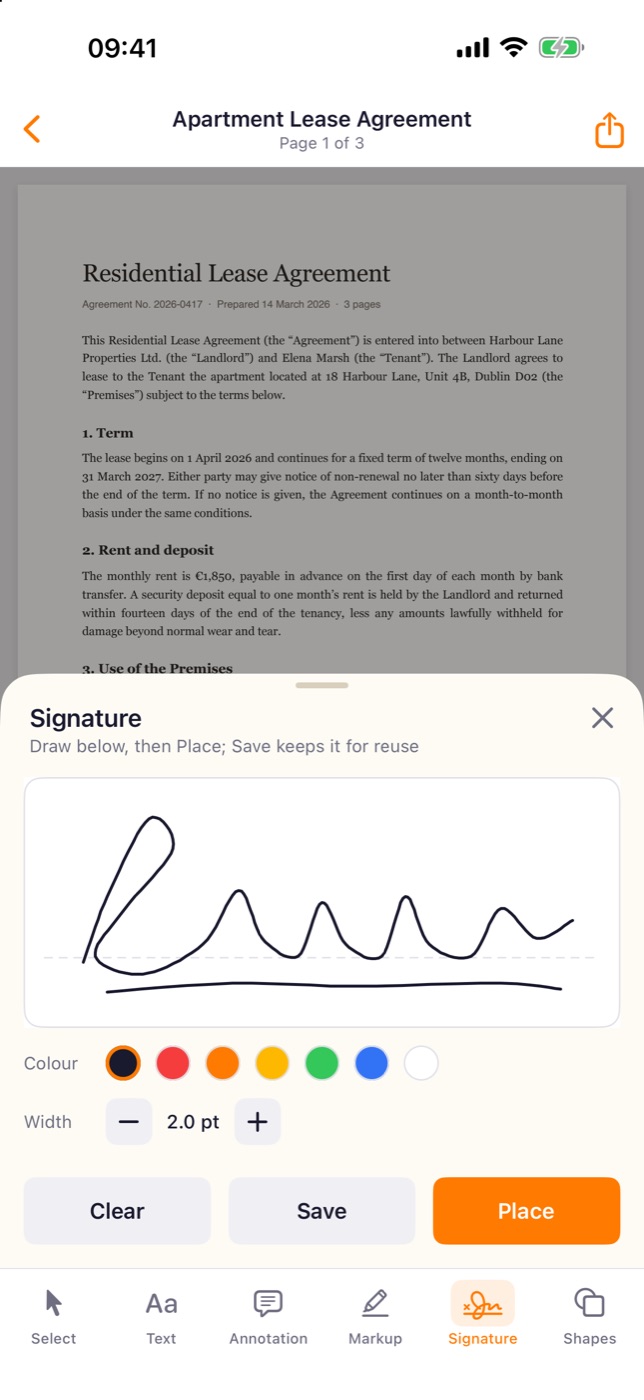 How to Sign a PDF on iPhoneSign a PDF on iPhone with your finger: draw a signature, place it on the page, save it for reuse and send the signed document from SmartScan PDF.
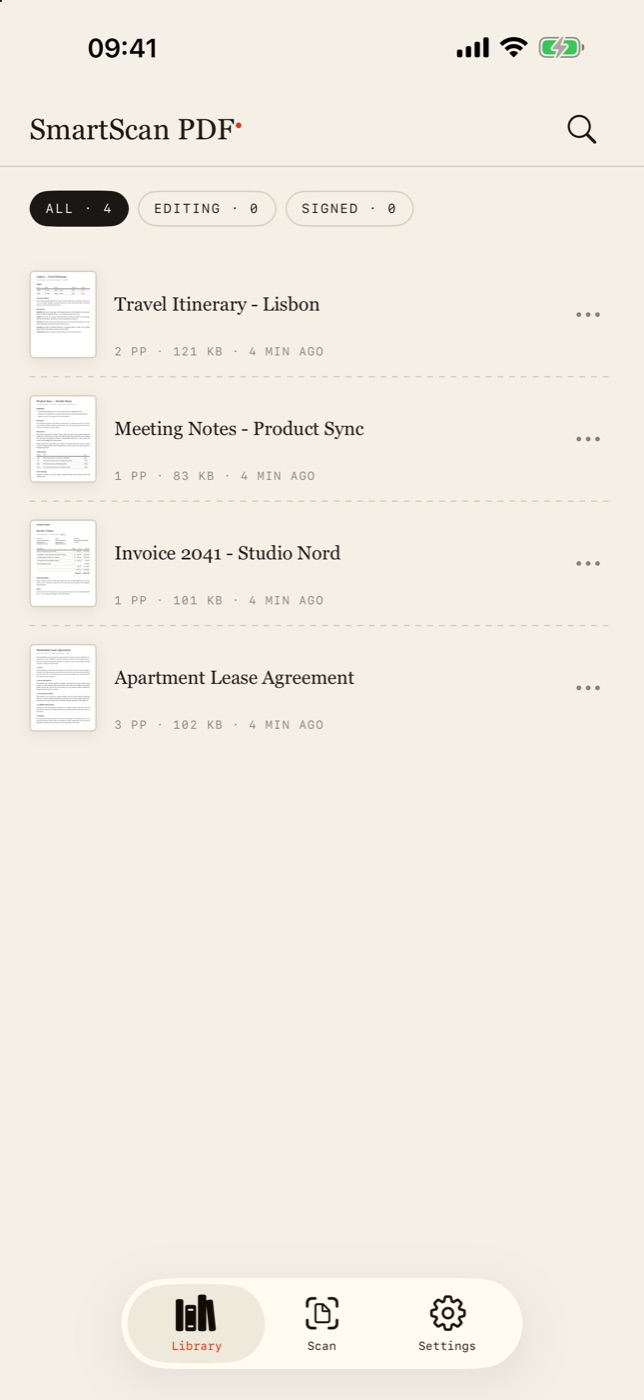 How to Scan a Document to PDF on iPhoneScan to PDF on iPhone with the camera, or turn photos into a PDF: the exact buttons to tap in SmartScan PDF, plus how to add pages and share.
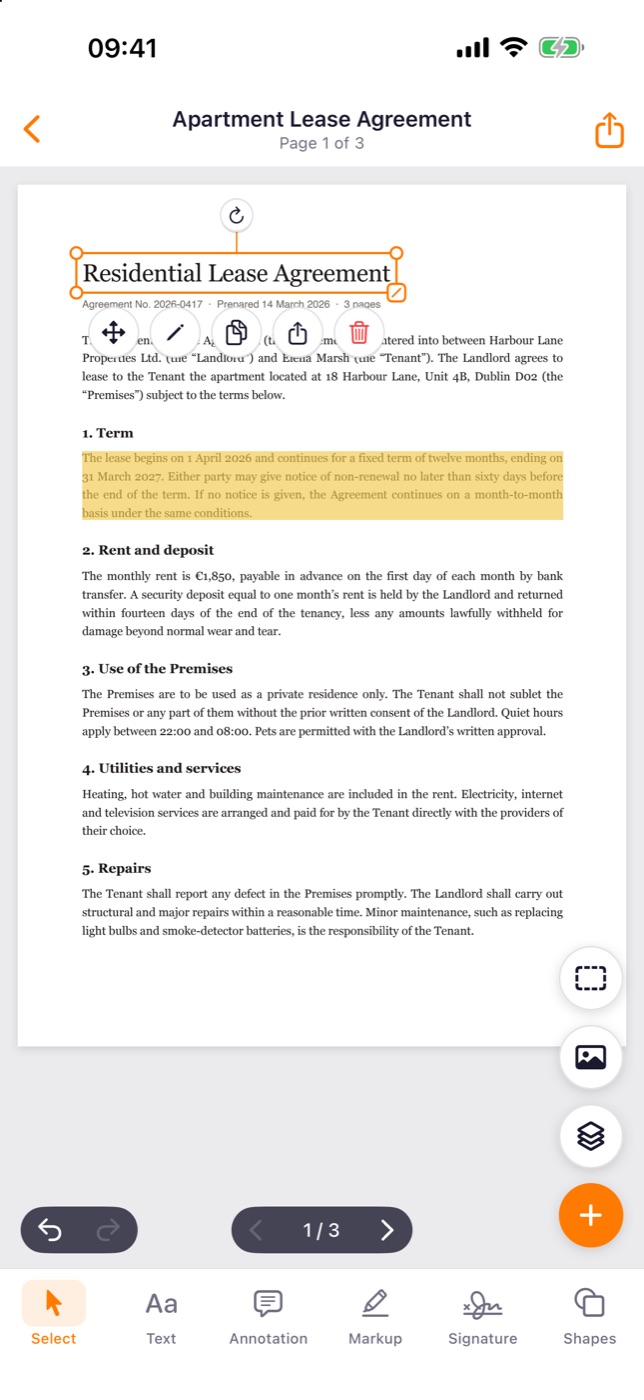 How to Edit Text in a PDF on iPhoneEdit PDF text on iPhone step by step: tap a line, retype it in the matching font, add new text and share the result with SmartScan PDF.